

What to Look Out for When Buying a Second-Hand Phone?
Second-hand phones are an interesting alternative for users who want to buy a device with good technical specifications at a more affordable price. There is high interest in used devices, especially since it is possible to get previous-generation flagship models at a more favorable price.
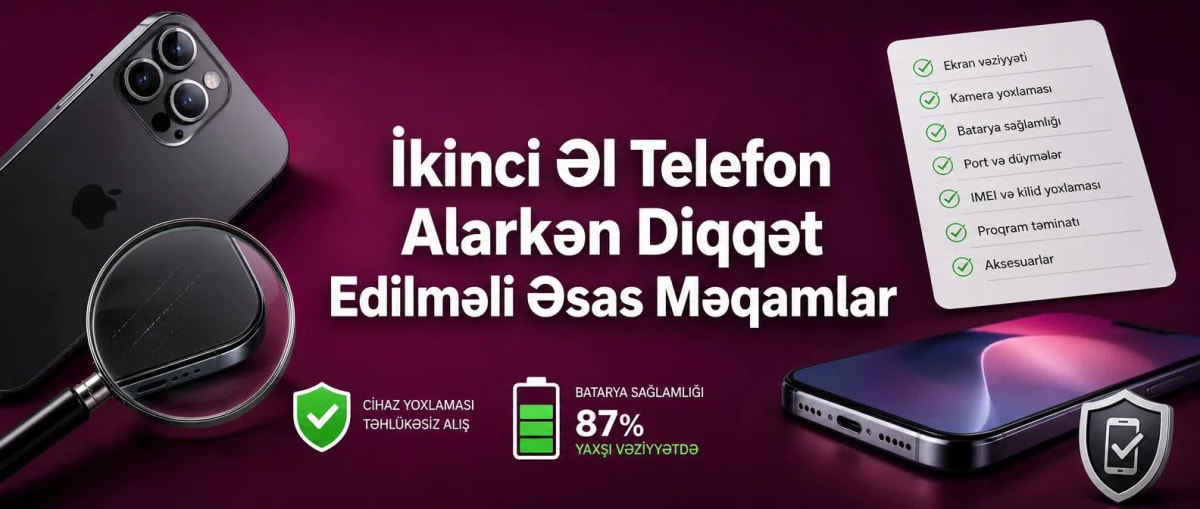
However, unlike buying a new device, you need to be more careful when buying a used phone. Even if the phone looks good on the outside, the battery condition, screen, camera, charging port, IMEI information, and other technical features should be checked in advance.
In this article, we will explain what points you should pay attention to when buying a second-hand phone, how to check the device's battery and screen, how to compare IMEI information, how to evaluate whether the phone has been repaired before, and what questions are useful to ask the seller.
Is It Profitable to Buy a Second-Hand Phone?
The main advantage of buying a used phone is getting a higher-level device at a lower price. Previous-generation flagship models can offer a more powerful processor, better camera, and better screen compared to some new entry-level and mid-range phones.
Therefore, a used flagship in good condition is an interesting alternative for a user with a limited budget.
However, looking only at the price is not correct. A device with a severely degraded battery, a replaced screen, or an unknown repair history may seem profitable at first glance, but it can create additional costs later.
When evaluating the price of a phone, its technical condition, storage capacity, appearance, battery level, repair history, and accessories should be considered together.
What Should Be Checked First When Buying a Used Phone?
Before buying a phone, you should first check the general condition of the device. While it is important to look at the appearance, you should not be satisfied with just the condition of the casing.
The main points to check are:
Screen condition and touch function
Battery condition
Casing and frame
Camera lenses
Front and rear cameras
Charging port
Microphone and speaker
Buttons
SIM card slot
Wi-Fi and Bluetooth
Mobile network
Biometric functions
IMEI information
Software and account locks
Instead of buying the phone in a hurry, it is more appropriate to check each of these features separately.
How to Check a Phone's Screen?
The screen is one of the parts that should be checked most carefully on used devices. Because replacing or repairing the screen can create additional costs later.
First, check for cracks, deep scratches, discoloration, and uneven lighting on the screen. Then, check the touch function across the entire screen.
It is necessary to ensure that the sensor works correctly everywhere by touching different parts of the screen. It is also possible to check for dead pixels, lighting problems, and color differences by opening white, black, and various colored images.
If the device has an AMOLED screen, special attention should be paid to burn-in marks. Marks caused by the same image remaining on the screen for a long time can be found on used phones.
If you suspect that the screen has been replaced, it is also useful to look at the gaps between the frame and the screen and how the screen sits on the casing.
How Should a Used Phone's Battery Be Checked?
The battery of a used device is one of the components that should be carefully checked before buying a phone. The battery capacity gradually decreases over time, and a worn-out battery can cause the phone not to last as long as it used to.
On iPhone models, it is possible to check the battery health indicator from the system settings. On Android devices, depending on the model, information about the battery may be shown in the system settings or in appropriate diagnostic tools.
It is also useful to pay attention to whether the energy level decreases at an unusually fast rate by using the phone actively for a few minutes. At the same time, it is necessary to check whether the device overheats during normal use.
For more detailed information about different models in terms of battery capacity, energy efficiency, and long-term use, you can learn more in the Phones with Long-Lasting Batteries guide.
How to Check a Phone's IMEI?
Checking the IMEI number is one of the important steps when buying a used phone. IMEI is the device's unique identification number and helps to verify the consistency of the phone's information in the system.
It is possible to find the IMEI number from the phone's settings or by dialing the *#06# code. Then, it is necessary to compare whether the IMEI information shown on the screen, on the device's box, and in the available documents match each other.
If there is a discrepancy between the information, it is more appropriate to investigate the reason before buying the device. Especially if the IMEI on the box is different from the number shown on the phone, you need to get information from the seller about this.
IMEI checking should not be limited to comparing the consistency of the numbers. The registration status of the phone and existing restrictions should also be checked if possible.
For more extensive information on finding the IMEI number, registration status, and checking device information, you can look at the What is IMEI and How is it Checked on Mobile Phones? article.
How to Tell If a Used Phone Has Been Repaired?
Some used phones may have been repaired during previous use. Repair itself is not always a negative thing, but it is important to know which part has been replaced.
Uneven gaps between the casing and the screen, signs of opening on the screws, signs of interference around the camera, and the screen not sitting properly on the frame may indicate that the device has been disassembled before.
If you suspect that the screen has been replaced, the screen's colors, touch sensitivity, and the connection part with the casing should be checked carefully.
However, it is not possible to accurately determine the repair history based only on the phone's appearance. If possible, it is necessary to obtain information about the device's service history and replaced parts.
It is also useful to ask the seller whether the screen, battery, camera, and other main components have been replaced.
What to Look for When Buying a Second-Hand iPhone?
When buying a used iPhone, in addition to battery health, it is important to check the Activation Lock status of the device. The phone must be removed from the previous owner's Apple account, and Activation Lock must not remain active.
In addition, Face ID or Touch ID, cameras, microphone, speaker, screen, charging port, and wireless connections should be checked.
If the Parts and Service History section is available on the iPhone, it is possible to see information about certain replaced parts here. This information is useful for evaluating the device's repair history.
Before resetting the phone, it is necessary to ensure that the Apple account has been removed from the device. Otherwise, it may cause problems with activation later.
For information about different iPhone series and their main features, you can look at the iPhone Phones guide.
What to Look for When Buying a Used Android Phone?
When buying a used Android phone, it is necessary to check main functions such as the screen, battery, camera, charging port, biometric systems, and mobile network.
Especially on Samsung, Xiaomi, Redmi, and other Android models with AMOLED screens, burn-in marks, touch problems, and color uniformity should be checked carefully.
It is useful to test both the front and rear cameras by opening the camera app, and to check the fingerprint sensor and face recognition function.
In addition, it should be considered which Android version the phone supports and whether the manufacturer provides updates for that model.
An old flagship phone may be technically powerful, but if software support is nearing its end, a newer model may be an alternative for long-term use.
How to Check a Phone's Camera?
To check the camera, you need to take photos and videos with both the front and rear cameras.
When taking photos, pay attention to whether the image is blurry, whether the focus works correctly, and whether there are scratches or cracks on the lens.
It is also possible to check the automatic focus by taking pictures of objects at different distances.
You can check the operation of the microphone and image stabilization function by recording a video. If the camera app does not open, focusing does not work correctly, or unusual spots appear in the image, it is necessary to investigate the reason before buying the device.
For more detailed information about sensors, OIS, HDR, video capabilities, and other camera features, you can look at the Best Phones by Camera Quality guide.
How Important Is It to Check the Charging Port?
Since the charging port is a frequently used part, wear and tear can occur on used phones.
If possible, it is necessary to check the condition of the port by charging the phone with a suitable and working adapter and cable. If the cable remains loose in the port, charging is frequently interrupted, or the device does not charge at all, there may be a problem.
In addition to the physical condition of the USB-C port, it is also useful to check the operation of data transfer and other functions supported by the device.
On models with wireless charging support, it is also possible to test this function.
What Questions Should You Ask the Seller?
Before buying a phone, it is useful to get information from the seller about the device's usage and repair history.
How long has the phone been used?
Has it been repaired?
Has any part been replaced?
Has the battery been replaced?
Has the screen been replaced?
Has the phone been in contact with water?
Does it have its box and accessories?
Is the device's IMEI information consistent?
Is there any problem with any function of the phone?
If the seller gives vague answers to these questions, it may be a reason to conduct an additional check.
What Documents Should You Look at When Buying a Phone?
When buying a used phone, checking the available documents can help to get additional information about the device's previous use and purchase history.
If possible, pay attention to the following documents:
Purchase or sales document
Warranty document
Service document
Documents related to repairs and replaced parts
Available information about the device's previous purchase
Having the box can also be useful, but the mere existence of the box does not show that the phone is problem-free or completely original. The main issue is that the documents match the device and the information provided by the seller coincides with the real condition of the phone.
How Is the Price of a Used Phone Determined?
When determining the price of a used phone, it is not enough to look only at the prices of other listings for the same model. The device's storage capacity, year of release, battery condition, appearance, repair history, and accessories should be evaluated together.
For example, there may be a price difference between the 128 GB, 256 GB, and 512 GB storage versions of the same model.
Battery condition is also one of the main factors affecting the price. If one device's battery is in good condition while another's is severely degraded, it may not make sense for both phones to be offered at the same price.
The same approach applies to the screen and other components. The price of a phone in completely original condition that works without problems cannot be the same as a device with a replaced screen or another main part.
Is It Better to Buy a Second-Hand Phone or a New Phone?
This depends on the user's budget and needs.
The main advantage of a used device is getting a higher-level model at a lower price. The advantage of a new phone is that the device has not been used before, warranty options are wider, and the battery is in new condition.
If a clean and checked used device in good condition is found, this alternative can be profitable. However, if the condition of the phone is suspicious, buying a new and simpler model can be considered.
The main issue here is not just whether the phone is new or used, but what technical condition of the device you are getting in exchange for the price paid.
For more extensive information on evaluating the general technical specifications of a phone, you can look at the Key Points to Consider When Buying a Mobile Phone guide.
Main Checklist When Buying a Used Phone
Before taking delivery of the phone, it is useful to conduct a check according to the following list:
Screen and touch panel
Battery condition
IMEI information
Camera and video
Microphone and speaker
Wi-Fi and Bluetooth
Mobile network and SIM
Charging port
Face ID or fingerprint
Buttons
External casing
Repairs and replaced parts
Software and account locks
Conducting these checks in advance helps to prevent problems that may arise later.
Conclusion
Buying a used phone can be a profitable alternative to get a good device at a more affordable price. However, when buying, it is not enough to look only at the price and appearance. The screen, battery, camera, IMEI, charging port, software, and the device's repair history should be checked carefully.
The main issue is to look at the real technical condition of the device and the opportunities it offers in exchange for the amount paid together. Checking the main functions before buying the phone, getting information from the seller about the device's history, and reviewing possible documents helps to make a more correct decision.
To view devices of different brands, models, prices, and conditions, you can look at the Mobile phone category on TenderYard.
Comments0
Be the first to comment
Share your thoughts on this article