

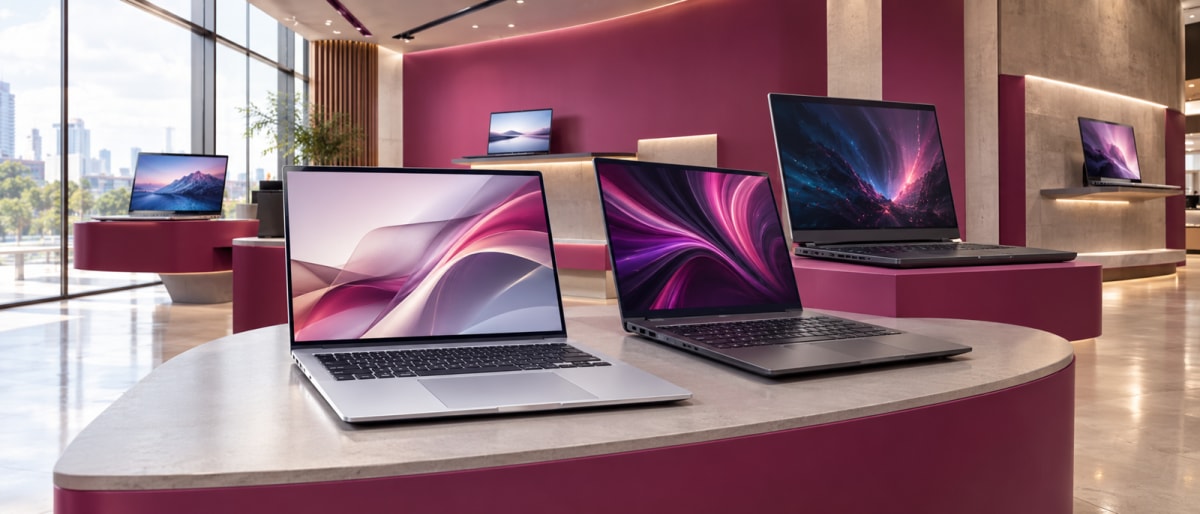
Complete Guide to Laptops
A complete guide to laptops helps you choose the right device for various purposes, compare technical specifications, and identify budget-friendly options. Laptops can have different features for different purposes such as daily use, work, education, programming, design, and gaming.
For a user who wants to buy a laptop, the choice should not be limited only to the device's appearance and price. Processor, RAM, storage, screen, graphics card, battery, and other features should be evaluated according to the intended use. At the same time, the overall condition of the device should be considered when choosing between new and second-hand options.
In this guide, we will review what purposes laptops are suitable for, what points to pay attention to when choosing, factors affecting prices, and which approach is more appropriate for different budgets.
What are laptops suitable for?
Laptops can be adapted to various usage scenarios due to their portable structure. They can be used for daily tasks at home, office programs, education, programming, graphic work, video editing, and gaming.
For daily use, tasks such as browsing the internet, using email, preparing documents, and watching videos generally do not require high technical specifications. In this case, a more balanced and energy-efficient model may be sufficient.
For work and education, screen comfort, keyboard usability, battery life, and device weight may be more important. When using programming and professional software, indicators such as processor, RAM, and storage should be evaluated more seriously.
Since higher performance is required for gaming and graphic work, features like the graphics card and cooling system come to the fore. Therefore, the first step when choosing a laptop is to determine what the device will be used for.
What to look for when buying a laptop?
When deciding to buy a laptop, first of all, the budget and purpose of use should be determined. Then, technical specifications suitable for those needs should be compared.
The main points to pay attention to are:
processor model and performance;
RAM capacity;
SSD storage capacity;
screen size and image quality;
graphics card;
battery capacity and runtime;
ports and wireless connections;
device weight and dimensions;
keyboard and touchpad;
overall build quality.
For example, a user who mainly works with documents may not need a powerful gaming graphics card. On the other hand, higher performance may be required for laptops used for graphic programs and games.
It is not a correct approach to focus on only one indicator when choosing. Complementing a powerful processor with sufficient RAM and fast storage can have a better impact on the overall user experience.
What do laptop prices depend on?
Laptop prices vary depending on several factors. In addition to processor, RAM, SSD, graphics card, screen, and other technical specifications, brand, model, and overall device quality can also affect the price.
There can be a significant price difference between two models with the same storage capacity due to other features such as processor and screen. Therefore, it is not enough to look only at RAM and SSD capacity when comparing laptops.
Whether the device is new or used also affects the price. New models may have advantages such as more modern components and manufacturer warranty. In used models, it may be possible to get higher technical specifications at a lower price.
For this reason, when determining a budget, not only the price of the device but also the opportunities it offers for that price should be considered.
What to look for when choosing cheap laptops?
Cheap laptops can be a suitable alternative for users who want to buy a device with a limited budget. However, a low price does not always mean a more profitable choice.
First, the purpose for which the device will be used should be determined. A more affordable model may be sufficient for simple office work, internet use, and education. For more demanding programs and games, the technical capabilities of cheap models may not be enough.
When choosing between cheap laptops, it is useful to pay special attention to processor, RAM, and SSD indicators. Screen quality, battery condition, and build quality should also be considered for long-term use.
The main goal is not to find the cheapest device possible, but to choose a laptop that meets your needs within the allocated budget.
What should be checked when buying second-hand laptops?
Second-hand laptops can be an alternative for those who want to get a device with suitable technical specifications on a lower budget. However, the real condition of the device should be checked more carefully when making such a choice.
Before purchasing, the condition of the screen, keyboard, touchpad, ports, camera, speakers, and wireless connections should be checked. Battery condition should also be evaluated separately, as battery capacity may decrease as usage time increases.
The operating condition of the SSD or other storage device, the behavior of the processor and graphics card under load, and the operation of the cooling system should also be checked as much as possible.
In addition, the compliance of the device's technical specifications with the information in the advertisement should be verified. When the model, RAM, storage, and other components are actually checked, the risk of problems that may arise later is reduced.
Is it profitable to buy used laptops?
Used laptops can sometimes offer higher technical specifications at a more affordable price compared to new models. Therefore, it can be an interesting option for users choosing with a limited budget.
However, whether such a device is profitable does not depend only on the selling price. The condition of the battery, screen, storage device, cooling system, and the functionality of other components should be considered.
If the price of the device is reasonable, but it is necessary to replace the battery, storage device, or other components in the near future, the total cost may increase. Therefore, when choosing used laptops, the purchase price and possible additional costs should be calculated together.
How are the best laptops chosen?
The best laptops are not the same for all users. While long battery life and a lightweight body are the main advantages for one user, high performance and a powerful graphics card may be more important for another.
For daily use, comfort and energy efficiency may come to the fore in the chosen model. For work and education, features such as screen, keyboard, weight, and battery may be more important. For professional work and gaming, performance indicators should be evaluated more seriously.
Therefore, when looking for the “best” model, you must first determine the purpose of use. Then, technical specifications and budget suitable for that purpose should be compared.
How are gaming laptops chosen?
Gaming laptops are designed for games that require higher graphics and computing performance. In these devices, the processor and graphics card are among the main components.
RAM capacity and SSD can also affect the smoother running of games and other programs. Screen refresh rate and image quality are important in terms of gaming experience.
The cooling system is also one of the important points for gaming laptops. Managing the device's temperature during long-term high load can help maintain stable performance.
When choosing a gaming laptop, checking the system requirements of the games to be played in advance and evaluating the device's compliance with those requirements allows for a better choice.
How are laptops for work and education chosen?
When choosing laptops for work and education, the comfort of the device in daily use is one of the main criteria. Screen size, keyboard, battery life, weight, and connectivity options can play an important role in this choice.
You may not need a very high-performance model to work with documents, use the internet, and join online classes. A device with balanced technical specifications may be more appropriate for such use.
For programming, design, and other demanding tasks, a more powerful processor, more RAM, and a fast SSD may be required. Therefore, when choosing a laptop for work and education, the programs to be used and the daily workload should be considered in advance.
What to look for when selling a laptop?
When selling a laptop, providing accurate information about the device is important for both the seller and the buyer. When preparing the advertisement, the full name of the model, processor, RAM capacity, storage capacity, graphics card, and screen features should be correctly indicated.
If the device is used, providing information about its overall condition, battery status, signs of use, and any technical problems helps in a more transparent sales process.
Adding real photos of the device can also make it easier for the buyer to choose. Providing as much information as possible when selling a laptop helps prevent misunderstandings that may arise later.
How should laptops be chosen?
When choosing laptops, the most correct approach is to first determine the need, then the budget and technical requirements.
The selection process can be carried out in the following order:
Determine the purpose for which the laptop will be used.
Determine your budget in advance.
Compare processor and RAM indicators.
Consider the capacity and speed of the SSD storage.
Evaluate the screen size and image quality.
Check the capabilities of the graphics card for gaming and graphic work.
Pay attention to battery life, weight, and ports.
Compare new and used options.
Check the compliance of the device's technical specifications with the real situation.
Evaluate the balance between price and offered features.
Such an approach makes the selection process more systematic and prevents decisions based solely on price.
Conclusion
Laptops offer different technical features and capabilities for various usage purposes. Therefore, when choosing, it is necessary to pay attention not only to the price and appearance of the device, but also to the processor, RAM, SSD, screen, graphics card, battery, and other features.
A user who wants to buy a laptop should first determine their needs and budget. Then, the technical specifications of suitable models should be compared. When choosing between cheap laptops, second-hand laptops, and used laptops, the real condition of the device and future costs should be considered.
The most suitable laptop is the model that meets the user's real needs, fits their budget, and provides enough capabilities for long-term use.
Comments0
Be the first to comment
Share your thoughts on this article