

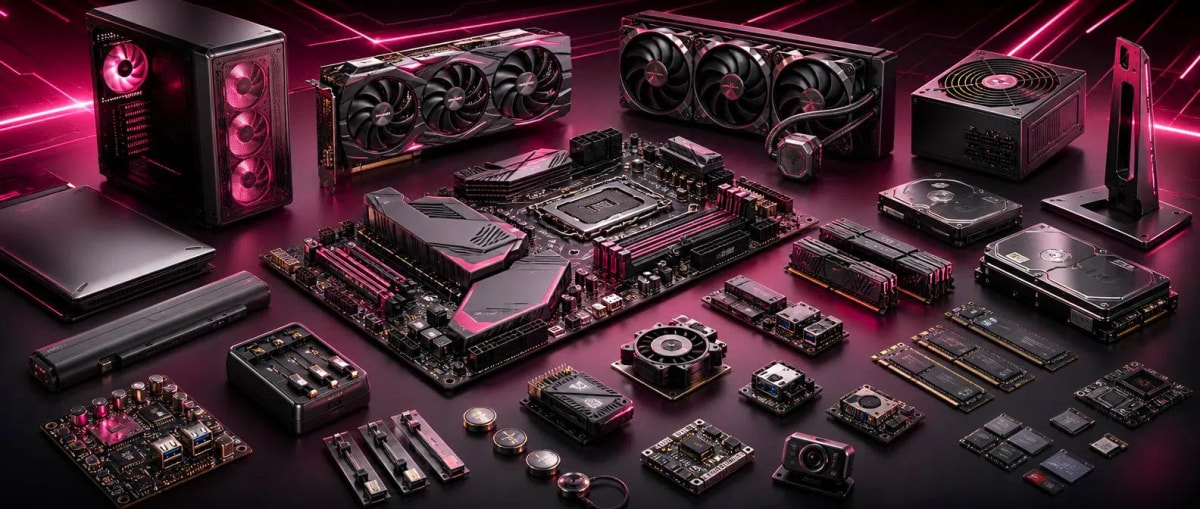
How to Choose the Right Computer Components
To choose the right computer components, you must first clearly define what you need the computer for, as the parts selected for gaming, work, design, programming, or daily use differ significantly. Since each purpose requires different power and technical specifications, failing to plan properly leads to both budget losses and performance issues.
Computer components Most people who want to build or upgrade an existing system make the biggest mistake here: they try to choose the "most powerful" of each component individually. However, a computer system is not just a single powerful part, but a collection of components working closely together. Therefore, the main principle is not power, but balance and compatibility.
In other words, the processor, RAM, video card, SSD, and other parts must complement each other. If this balance is broken, even the most powerful component cannot show its full potential, resulting in either performance loss or unnecessary costs. For example, a powerful video card working with a weak processor or a fast SSD limited by slow RAM can significantly lower overall performance.
In this article, we will explain all the main parts of a computer in simple and understandable language, along with real-life usage examples, so that you can clearly understand what each component does and make the right decision when choosing.
What to look for when choosing a motherboard?
The motherboard is the foundation of the entire system. The processor, RAM, video card, and all other components are connected through the motherboard. Therefore, if the wrong motherboard is chosen, the operation of other components will also be problematic.
When buying a motherboard, first check that the socket is compatible with the processor. Each processor generation supports a specific socket type, and an incompatible combination will not work at all. Furthermore, it is important to check how many RAM slots there are, what type of memory it supports, and the availability of necessary ports (USB, network, video outputs). If you plan to upgrade components in the future, it makes sense to choose a motherboard with broader capabilities.
What criteria are important when choosing a processor?
The processor is considered the "brain" of the computer and handles all computational processes. The right processor choice depends on the intended use.
For ordinary work and web browsing, mid-range processors are sufficient. However, if you plan to do video editing, 3D modeling, or play heavy games, you should prioritize models with a high core count and higher frequency. When choosing a processor, pay attention not only to the number of cores but also to the generation and architecture, as newer generations usually provide higher performance while consuming less energy.
For which users is a video card important?
The video card is responsible for forming the image on the screen and is of great importance, especially for gaming, graphic design, and video editing tasks.
For simple tasks like writing text or browsing the internet, the processor's integrated graphics are sufficient, and buying a separate video card is not necessary. However, if you intend to play games, render, or work with heavy graphic programs, you should choose a separate video card with high memory capacity and modern architecture. When choosing a video card, ensure that the power supply unit (PSU) has enough power, as powerful cards require more energy.
How to decide on capacity when choosing RAM?
RAM determines how many tasks a computer can perform comfortably at the same time. If there is not enough RAM, the system slows down and programs open slowly.
For simple work tasks, medium-capacity memory is sufficient, but if you plan to keep multiple programs open at the same time or work with heavy software, it is beneficial to choose higher-capacity memory. In addition, the frequency of the memory also affects performance, so it is recommended to choose memory with a frequency compatible with the motherboard.
What is the difference between SSDs and hard drives?
SSDs and hard drives (HDD) are both used for data storage, but their working principles are completely different. Since SSDs work via electronic chips, they are much faster in terms of boot speed, file transfer, and program loading times.
Hard drives consist of mechanical parts and usually offer higher capacity at a lower price. Therefore, it is considered appropriate to choose an SSD for the operating system and frequently used programs, and to use a hard drive for storing large files and archives. Using these two types of disks together is the most balanced solution.
How to calculate power supply unit (PSU) power?
The power supply unit provides energy to the entire system, and if not chosen correctly, the system may run unstably or damage the components.
When choosing a PSU, the total energy demand of all components should be calculated, and a certain safety margin should be kept. Especially when using a powerful video card, the power of the PSU must be sufficiently high. Furthermore, choosing PSUs with quality certifications reduces energy consumption and ensures more stable system operation.
What to look for when choosing a computer case?
The computer case plays an important role not only for aesthetic appearance but also for air circulation and fitting the components.
When choosing a case, pay attention to whether it fits the size of the motherboard, has enough ventilation slots, and allows for easy cable management. If you plan to install additional cooling systems or disk drives in the future, it is more practical to choose a case with a larger internal space.
Why are computer cooling systems important?
As a computer runs, components generate heat, and removing this heat properly is essential for maintaining stable performance. Overheating can lead to performance drops and shorten the lifespan of components.
Air cooling systems are sufficient for ordinary users and are easier to install. Liquid cooling systems provide more effective results for more powerful processors and under heavy load conditions. When choosing a cooling system, pay attention to the size of the case and compatibility with fan locations.
What are disk drives used for?
Disk drives, especially optical disk drives, are not as widely used in modern computers as they once were, but they are still useful for certain users. You may need a disk drive for installing old software, reading data from physical disks, or for archival purposes.
When such a drive is needed, it is enough to pay attention to the compatibility of the connection interface with the motherboard and the availability of space in the case, as most modern systems do not need this function.
What role does a slider potentiometer play in computer systems?
A slider potentiometer is an analog adjustment element typically used for volume control, lighting adjustment, or in various electronic circuits. It can be found in computer cases, special audio devices, or manually controlled setups.
When choosing this component, pay attention to the required resistance value, size, and compatibility with the slot on the board to be installed, as an unsuitable model may not provide the necessary adjustment precision.
Why are CMOS batteries needed and when should they be replaced?
The CMOS battery is located on the motherboard and ensures that date, time, and BIOS settings are saved even when the computer is turned off. When this small battery dies, the computer resets the time at every startup or BIOS settings may be lost.
A CMOS battery usually lasts for several years and is easy to replace. When buying a new battery, choose a model with the same size and voltage rating as the previous one to ensure full compatibility with the motherboard.
What indicators should be looked at when choosing laptop cameras?
Laptop cameras differ in terms of image quality and play an important role, especially for video calls, online work meetings, and content creation.
When choosing a camera, pay attention to image resolution, low-light performance, and the presence of an autofocus function. If the laptop's built-in camera is not enough, external USB cameras can provide higher quality.
What to look for when choosing laptop batteries?
The laptop battery is one of the main factors determining the mobility of the device. The higher the battery capacity, the longer the device can work without being connected to the network.
When choosing or replacing a battery, it is important to ensure that the current model is approved by the original manufacturer, as incompatible batteries can cause problems in terms of both performance and safety. In addition, the battery's cycle count and energy capacity indicators should also be considered.
What features are important when choosing a battery charging module?
A battery charging module manages the safe and correct transfer of energy to the battery. The quality of this module directly affects both the charging speed and the long-term health of the battery.
When choosing a charging module, check that the output voltage and current are compatible with the device, and whether it has an overheating protection function. Unreliable modules can damage the battery and even create danger.
In what cases are USB boards needed?
USB boards are used to obtain additional connection ports or to integrate new-generation USB technology into older systems. This solution is very useful, especially when the number of ports on the existing motherboard is insufficient.
When choosing a USB board, pay attention to the compatibility of the connection interface with the motherboard, the supported USB version, and the transfer speed. Boards supporting newer versions provide advantages in terms of both speed and power management.
What criteria should be looked at when choosing memory cards?
Memory cards are widely used for data transfer, especially when working with cameras, mobile devices, and camcorders. Choosing the right format and speed is important for working compatibly with a computer.
When choosing a memory card, pay attention to capacity, read/write speed, and the type of supported format. When high-quality video recording or fast file transfer is required, cards with a higher speed class should be chosen.
What role do stands play in laptop usage?
Stands, especially used for laptops, improve the ventilation of the device and prevent overheating during long-term use. In addition, they increase comfort by providing an ergonomic position.
When choosing a stand, it is useful to pay attention to ventilation efficiency, size compatibility, and the noise level of built-in fans, if any. A properly chosen stand significantly improves the thermal management of the device.
How to allocate the budget when choosing computer components?
One of the most common mistakes when building a computer is not allocating the budget correctly. Sometimes too much is spent on one component, while other important parts remain weak, which limits overall performance.
For a balanced system, it is necessary to maintain a proper ratio between the processor, video card, and RAM. Depending on the intended use, it makes sense to prioritize the video card for gaming, for example, and the processor and memory for work tasks. In addition, allocating enough budget for "background" components like the power supply and cooling system ensures the long-term stability of the system.
Conclusion
Computer components Choosing may seem difficult at first glance, but understanding the function of each part makes the process much easier. From basic components like the motherboard, processor, and video card to supporting elements like the power supply, cooling system, and case, every choice affects overall performance. Clearly defining the purpose of use and allocating the budget wisely helps in making the most correct decision in terms of both performance and long-term reliability.
Comments0
Be the first to comment
Share your thoughts on this article