

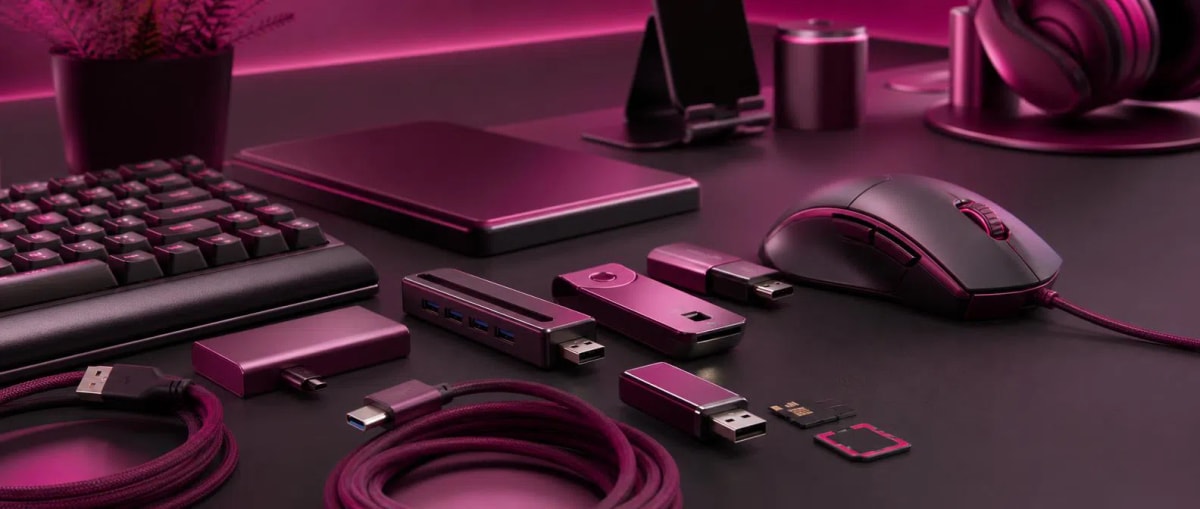
Correct Selection Rules for Computer Accessories: Model Differences and Durability Criteria
Computer Accessories correct selection rules, model differences, and durability criteria. These factors can create significant differences in performance, durability, and ease of use between two products that perform the same function.
At first glance, similar-looking Keyboards, Computer mice, USB flash drives, and Computer cables can show completely different results during real use. While some products work flawlessly for a long time, others lose performance in a short time and create additional costs. Therefore, focusing only on price and appearance during selection is not considered the right approach.
Computer Accessories category has specific criteria that determine quality in products such as keyboards, mice, USB flash drives, adapters, cables, and USB hubs. Knowing these criteria helps to make a more reliable choice and prevents additional costs in long-term use.
In this article, we will examine in detail the main factors that create quality differences in computer accessories, the technical and functional differences between products, and ways to make a more durable and reliable choice.
What Should You Pay Attention to When Choosing Computer Accessories According to Your Needs?
For every user, computer accessories are not just equipment, but the main tool that determines the speed and comfort of daily work. High-speed data transfer for programmers and an ergonomic and comfortable user experience for designers come to the fore. Therefore, the right choice directly affects productivity.
When choosing, it is important to pay attention not only to appearance and price, but also to the technical specifications of the product, the quality of the materials used, durability tests, and real user reviews. Cheap and low-quality products can fail in a short time, causing additional costs and loss of time.
Tenderyard platform provides a convenient and reliable shopping experience for users looking for computer accessories. The goal here is not just to sell products, but to help the user make the right choice. Since products are presented with technical specifications on the platform, it is easier to compare the real performance of each accessory.
In addition, there is a wide range of products in various categories. Since keyboards, mice, cables, USB storage devices, and other accessories are presented together, users can make the choice that suits their needs faster and more easily. A simple and clear interface, the ability to compare products, and a correct guidance system make the purchasing process more effective and comfortable.
If you want to buy both high-quality and suitable computer accessories from one place, Tenderyard is the right choice for you.
Which Types Should Be Preferred When Choosing Keyboards and Computer Mice?
The devices we touch the most during the day are Keyboards and Computer mice. Incorrectly chosen control tools cause wrist pain and fatigue.
Ergonomics: When choosing a mouse, prefer models that fit your hand size and grip style.
Button Mechanism: When choosing a keyboard, it is important whether it is mechanical or membrane type. If you are busy with typing, soft-touch membrane keyboards can be quieter and more comfortable.
Connection Type: Wireless models provide a neater look on the desk, but wired models have the advantage of lag-free operation.
Mouse pad: A Mouse pad helps the mouse move smoothly and accurately on the surface. Therefore, a model with material and size suitable for the usage style should be chosen.
What Are the Main Features That Determine Durability in Computer Cables and Connectors?
Often overlooked, but playing an important role in the stable operation of the system, are Computer cables and Connectors. A low-quality cable both weakens data transfer and can cause the device to short-circuit.
The outer cover of a good cable should be thick and flexible. The cover should be made of material that does not bend and break easily, and the internal wires should be made of pure copper. Gold-plated connectors maximize signal transmission and increase durability by preventing corrosion.
Port protectors can be used to protect computer ports from dust and other external influences. These accessories help protect ports against contamination caused by daily use.
Which Memory Accessories Should We Choose for Fast Data Transfer?
Storing data securely and transferring it quickly has become a very important need for both individual users and professional environments today. Transferring large files in a short time not only reduces time loss in the work process but also increases overall productivity.
For this reason, choosing the right memory accessories plays an important role. Properly selected devices not only ensure faster data transfer but also protect their security and prevent technical problems. Modern technologies provide users with faster, more durable, and more convenient solutions.
What Are the Indicators That Determine Speed in USB Flash Drives and Card Readers?
USB flash drives are still the most practical way to carry your photos, videos, and documents. However, they also have types and speed standards.
USB Standard: Definitely choose flash drives with USB 3.0 or higher standard support. This can increase data transfer speed by up to 10 times.
Case Durability: Metal-cased flash drives dissipate heat better and are more resistant to impacts.
Memory Card Readers: When choosing Memory card readers for photographers and videographers, universal models that can read several card types (SD, MicroSD) at the same time should be preferred.
How Do Multifunctional USB Hubs Solve the Problem of Port Shortage?
Modern laptops are getting thinner and the number of ports on them is decreasing. USB hubs are indispensable for solving this problem. When choosing a hub, pay attention to how many additional ports (Type-C, HDMI, USB-A) it has and how many devices it can power at the same time. Hubs with an aluminum body look more modern and aesthetic, and also prevent the device from overheating.
Which Types of Accessories Are Used in Technical Maintenance and Power Supply?
Extending the life of your computer depends not only on proper use but also on regular technical maintenance and providing stable power. For this reason, accessories that play a role in the proper operation of the device, but are often overlooked, are of great importance. Now let's take a look at the "hero" components that work in the background of our devices.
Which Power and Technical Specifications Should Be Checked When Choosing Computer Adapters?
Non-original or low-quality Computer adapters can cause serious damage to the device's battery and internal circuits. Therefore, special attention should be paid to its technical specifications when choosing a new adapter.
One of the most important points is that the voltage (Volt), current (Ampere), and pin (head) type must fully comply with the laptop's requirements. The voltage indicator must be exactly the same as the original value of the device, and the Ampere value should not be lower than the original so that the device can receive enough power and work stably.
For What Purposes Are Computer Tweezers and Technical Maintenance Accessories Used?
Tweezers are very useful for cleaning the internal parts of the computer or changing small details. Anti-static coated and straight/curved tip tweezers allow working without damaging delicate electronic components. In addition, other computer accessories such as thermal pastes and cleaning sprays should be in your arsenal to maintain the performance of your system.
Using an ergonomic Computer armrest for those who work at a desk for a long time reduces shoulder and neck tension and increases work efficiency.
Computer cases are also important accessories for protecting and properly placing the internal components of the computer. For the use of storage devices in suitable slots, accessories such as HDD caddy and SSD caddy can be chosen.
How to Distinguish a Quality Product from a Low-Quality One?
The market is full of products in different price segments. You can use a few simple tips to distinguish a quality accessory:
Packaging and Brand Reliability: The packaging of quality products is neat, and all technical specifications and certificates (e.g., CE, RoHS) are clearly stated on it.
Smell and Material Feel: Products made of cheap plastic have a sharp chemical smell. High-quality products feel solid when touched.
Warranty Period: If the manufacturer trusts its product, it definitely provides a warranty card for it. Accessories with a warranty are always more reliable.
Conclusion
Choosing the right computer accessories is not just a purchase, but an investment in your digital comfort and the security of your devices. Whether it's a USB cable or an ergonomic mouse, every detail directly affects the quality of your work. When choosing, pay special attention not only to price, but also to material quality, brand reliability, and technical compatibility.
Remember that a quality product saves you from additional costs and loss of time that may arise in the future. Do your product research thoroughly to find durable and functional accessories that fully meet your needs and take your technological experience to the next level. In this selection process, the Tenderyard platform helps you make the right decision by presenting reliable and high-quality computer accessories together. At the same time, there are other products in various categories on the platform, which creates a wider range of choices for users according to their needs.
Comments0
Be the first to comment
Share your thoughts on this article