

What You Need to Know About Desktop Computers
Desktop computers guide provides general information on choosing a computer, key components, pricing, usage purposes, and points to consider when purchasing. The article explains which users desktop computers are suitable for, what to look for when buying a computer, the functions of components, choosing between new and used models, features of gaming computers, and essential computer accessories.
When choosing a desktop computer, looking only at the device's appearance and price is not enough. The compatibility of the processor, RAM, storage device, graphics card, motherboard, and other components with the intended use must also be considered. Therefore, this guide helps to review the key points regarding computer selection in one place.
What is a desktop computer?
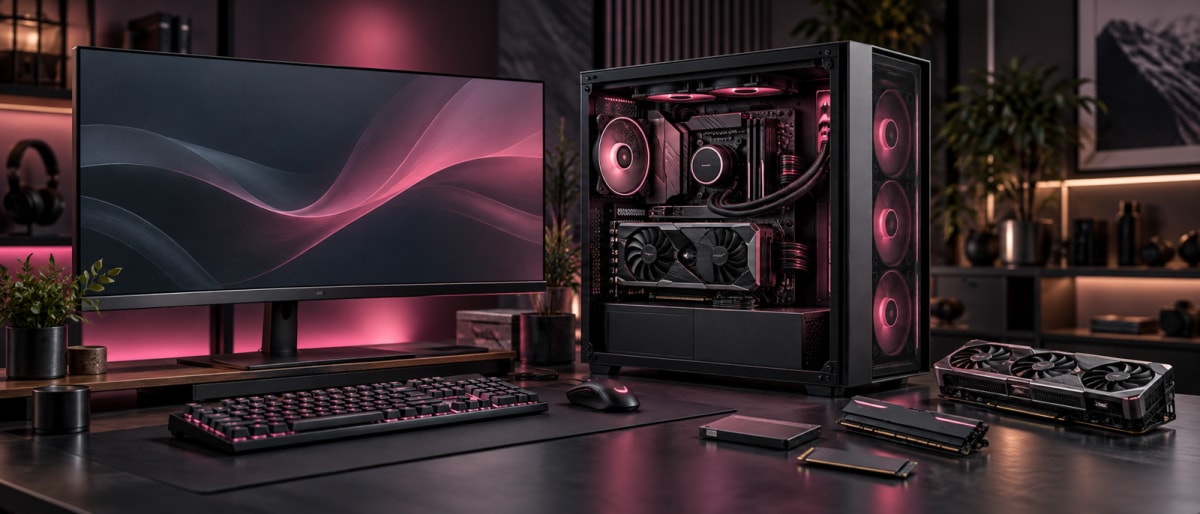
A desktop computer is a computer system consisting mainly of a system unit, monitor, keyboard, and mouse. Unlike laptops, it is easier to replace components separately and upgrade the system according to needs.
Desktop computers are used at home, in offices, educational institutions, and various professional fields. Depending on the purpose of use, it is possible to build a simple office system or a high-performance gaming and work computer.
Desktop computers are especially convenient for people who use the computer in the same place for a long time. Thanks to the larger case, placing and subsequently upgrading components is relatively easy.
What are desktop computers suitable for?
Desktop computers can be adapted to various purposes. Therefore, when choosing, it must first be determined what the computer will be used for.
For daily use such as browsing the internet, working with documents, watching movies, and other simple tasks, a mid-level system may be sufficient. For office and educational purposes, it is essential that the processor, RAM, and storage allow daily programs to run smoothly.
Tasks like programming, graphic design, photo editing, and video editing may require higher performance. In this case, a more powerful processor, sufficient RAM, and a dedicated graphics card for some programs may be needed.
In systems intended for gaming, the graphics card is of greater importance. Other components of a gaming computer must also be chosen according to the capabilities of the graphics card.
What are the main components of a desktop computer?
The performance of a desktop computer depends on several key components working together. Each part has a different function and affects the overall operation of the system.
Processor is one of the main components that ensures calculations are performed and programs run on the computer. The capabilities of the processor affect the overall speed of the system and the performance of various programs.
RAM serves to store temporary data while programs are running. With more RAM, it is possible to work comfortably with more programs at the same time.
SSD and HDD are used to store files, programs, and the operating system. SSDs usually work faster, while HDDs can be used to store large volumes of data.
Graphics card is responsible for processing images. The capabilities of the graphics card are important, especially in fields like gaming, 3D programs, graphic design, and video editing.
Motherboard is the main part that connects the various components of the computer. The processor, RAM, storage devices, and other components work together in the system via the motherboard.
Power supply unit provides the electrical energy needed for components to work. It is important to choose a power supply with the appropriate power and quality for the system.
Cooling system helps keep the temperature of components under control. Especially in high-performance systems, proper cooling is important for the stable operation of the computer.
Which processor should be chosen for a desktop computer?
When choosing a processor, it is not correct to look only at the model name or the number of cores. The main issue is that the processor is suitable for the intended use.
Intel and AMD are widely used processor manufacturers for desktop computers. On both platforms, there are models of different levels for daily use, work, creativity, and gaming.
The number of cores of a processor is one of the factors that affects its ability to perform different tasks at the same time. Frequency is related to the speed at which the processor performs operations. However, instead of evaluating these indicators separately, it is more correct to look at the overall performance of the processor and the purpose of use.
For simple office and daily use, a very high-level processor may not be needed. For gaming, programming, video editing, and other heavy tasks, it is advisable to choose a more powerful processor.
How much RAM and storage should a computer have?
RAM and storage are different components. Although these two concepts are often confused, their functions are not the same.
RAM is the temporary memory used by programs while the computer is running. SSD and HDD are used for long-term storage of files, programs, and other data.
For daily internet use, working with documents, and simple programs, a certain amount of RAM may be sufficient. To run more programs at the same time, use complex programs, and play games, a larger amount of RAM may be needed.
When choosing a storage device, the need for use should also be considered. If numerous programs and files are to be stored, a larger capacity SSD or an additional storage device may be useful. Choosing an SSD can help the system and programs open faster.
Why is a graphics card important?
Graphics card is one of the main components that performs image processing on a computer. Its importance varies depending on the purpose of using the computer.
For internet, documents, and other simple tasks, a high-performance dedicated graphics card may not be needed. In games, a more powerful model may be required as the graphics card plays a key role in creating screen images.
In graphic design, 3D modeling, video editing, and other visual tasks, the performance of the graphics card should also be considered. For this reason, special attention should be paid to the graphics card when choosing a system for a gaming computer and professional graphic work.
For more detailed information about GPU and video memory, you can check the what is a graphics card topic.
Is it possible to change components in a desktop computer?
One of the main advantages of desktop computers is that components can be changed or upgraded later. However, it is important that all components are compatible with each other.
For example, RAM can be increased, a larger and faster SSD can be added, or the existing graphics card can be replaced with a more powerful model. In some cases, it is also possible to upgrade the processor.
Here, the components supported by the motherboard, the power of the power supply, and the physical dimensions of the case must be considered. Therefore, when buying a computer, it is useful to think not only about today's need but also about the possibilities of upgrading the system in the future.
What should be considered when buying a desktop computer?
When wanting to buy a computer, the purpose of use and budget must first be determined. After that, it becomes easier to choose a system with components suitable for that purpose.
For example, the requirements for a computer to be used for office work and a system intended for gaming are not the same. While the graphics card is of greater importance in a gaming computer, a balanced and simpler system may be sufficient for daily use.
What is included in the computer package should also be checked. In some sales, only the system unit is provided, while the monitor, keyboard, and mouse are sold separately. Therefore, all necessary equipment should be considered when calculating the total budget.
The compatibility of components with each other is also important. If a powerful processor and graphics card are chosen, the power supply and cooling system must also be suitable for that system.
If it is planned to upgrade RAM, SSD, or graphics card in the future, it should be investigated in advance whether the system allows this.
What do desktop computer prices depend on?
Desktop computer prices mainly depend on the features and performance of the components used in the system. The processor, RAM, SSD, graphics card, motherboard, and power supply are among the main parts that affect the price.
Systems with high-performance graphics cards and processors are usually more expensive. Large-capacity and fast storage devices, higher-quality power supplies, and advanced cooling systems can also increase the total price.
Besides that, whether the monitor and other equipment are included in the package should also be considered. Along with new systems, it is possible to find used and second-hand options with a more affordable budget.
When comparing computer prices, looking not only at the final amount but also at what components are provided for that price helps to make a more correct choice.
Is it profitable to buy a used computer?
A used computer can be a suitable choice for people with a more limited budget. With the same budget, it is possible to find a used computer with higher-level components compared to a new system.
However, when buying a used computer, its previous usage condition and technical status must be considered. How long the components have been used, the system's temperature indicators, and the overall operating condition should be checked.
It is useful to pay attention to the condition of storage devices like SSD and HDD, the temperature of the graphics card and processor, and the operation of fans. If it is possible to check the computer before purchase, doing so helps to reduce risks.
What should be checked when buying second-hand computers?
When buying second-hand computers, the compatibility of the features shown in the ad with the real components must first be checked. It should be verified that the processor, RAM, graphics card, and storage device are indeed of the noted model and capacity.
It should also be checked that the computer opens normally and runs programs stably. Unusual noise from fans, excessive overheating, and sudden shutdown of the system can be signs of a problem.
The condition of the case should also be looked at. Strong impact, oxidation, dust accumulation, and other physical problems can create additional costs in the future.
If possible, checking the main components of the computer with special programs and observing how it works under load allows for a more reliable choice.
How should a gaming computer be chosen?
When choosing a gaming computer, all components of the system should be evaluated together. Here, the graphics card, processor, and RAM are especially important.
The graphics card has a significant impact on graphic performance in games. The processor plays a role in the operation of the game engine and other system processes. The amount of RAM should also be considered for the smooth operation of modern games and other programs.
An SSD can help games and the operating system load faster. When choosing a monitor, besides the image quality of the screen, the refresh rate is also one of the factors that affects the gaming experience.
When choosing a gaming computer, it is more advisable to look at the system requirements of specific games and build the computer according to those requirements.
How are the best computers chosen?
The best computers are not the same for every user. While a high-performance gaming system is the best choice for one person, a simple and affordable office computer may be more suitable for another user.
Therefore, the purpose of use must first be determined when choosing. For work and education, the main focus can be on the smooth operation of daily programs. For design and video editing, a more powerful processor, RAM, and graphics card may be needed. For gaming, graphic performance is one of the main criteria.
The best choice is a system that creates a balance between budget and need and can meet the user's requirements in the future.
What are computer accessories?
For comfortable use of a desktop computer, various computer accessories may be needed in addition to the main system.
The monitor is the main equipment for displaying images. The keyboard and mouse provide daily control. Headphones and a microphone can be useful for online meetings, games, and multimedia use.
A webcam can be chosen for video calls, and a mouse pad for more comfortable use of the mouse. When buying accessories, the purpose of use, compatibility, and quality should also be considered.
For some users, choosing accessories separately may be more profitable, because in this case, it is possible to determine each piece of equipment according to their own needs.
Frequently asked questions about desktop computers
Is a desktop computer or a laptop better?
This depends on the purpose of use. If portability is important, a laptop is more convenient. If wider upgrade possibilities and high performance are required, a desktop computer may be a more suitable choice.
How many GB of RAM is enough for a desktop computer?
The required amount of RAM depends on the programs used and the purpose of the computer. Requirements for daily use versus heavy programs and games can be different.
Is it better to choose an SSD or an HDD?
Since an SSD works faster, it is a favorable choice for the operating system and programs. An HDD can be used to store large volumes of data.
Can I buy a second-hand computer?
Yes, but the components and technical condition of the computer must be checked in advance. The compatibility of the ad information with the real system must also be verified.
Can a desktop computer be upgraded later?
In many desktop computers, it is possible to change or increase components such as RAM, SSD, and graphics card later. For this, the compatibility of the components with each other must be considered.
Conclusion
Desktop computers can be built for various purposes, so it is not enough to look only at price and appearance when choosing. The processor, RAM, SSD or HDD, graphics card, motherboard, power supply, and cooling system should be evaluated together.
A person who wants to buy a computer should first determine their purpose of use and budget, and then choose a system with components suitable for those needs. Along with new models, used and second-hand computers can also be an alternative according to the budget, but technical inspection is especially important in such choices.
A properly chosen desktop computer can meet various needs from daily work to gaming and professional activity. The main goal is not to choose the most expensive system, but to find a computer suitable for the purpose of use, budget, and future needs.
Comments0
Be the first to comment
Share your thoughts on this article